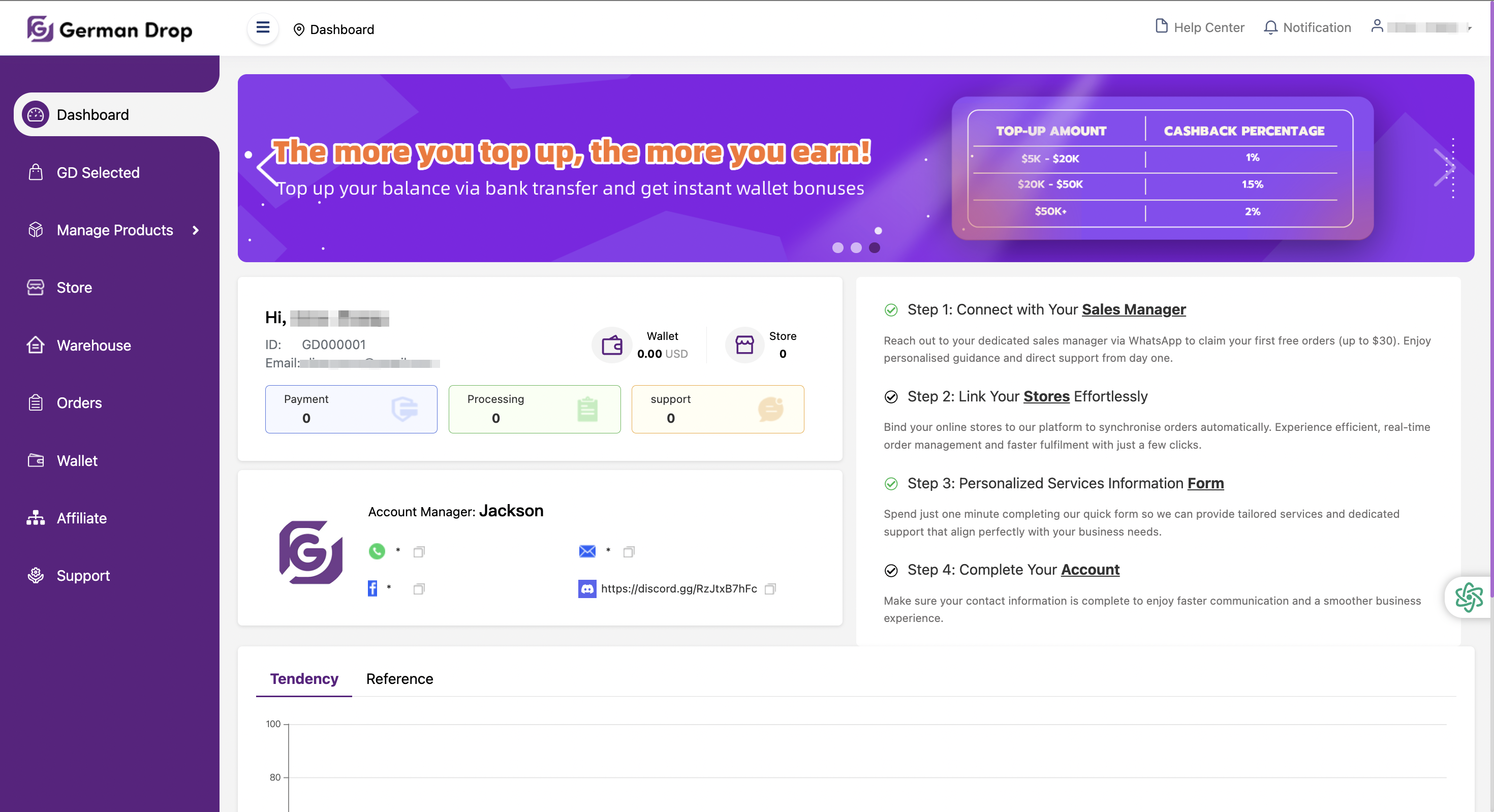
The Dashboard is the first interface you will see after logging into the German Drop app. It provides a comprehensive overview of your account status, business performance, and quick access to key functions. This section is designed to help you manage your operations efficiently at a glance.
Basic Account Information
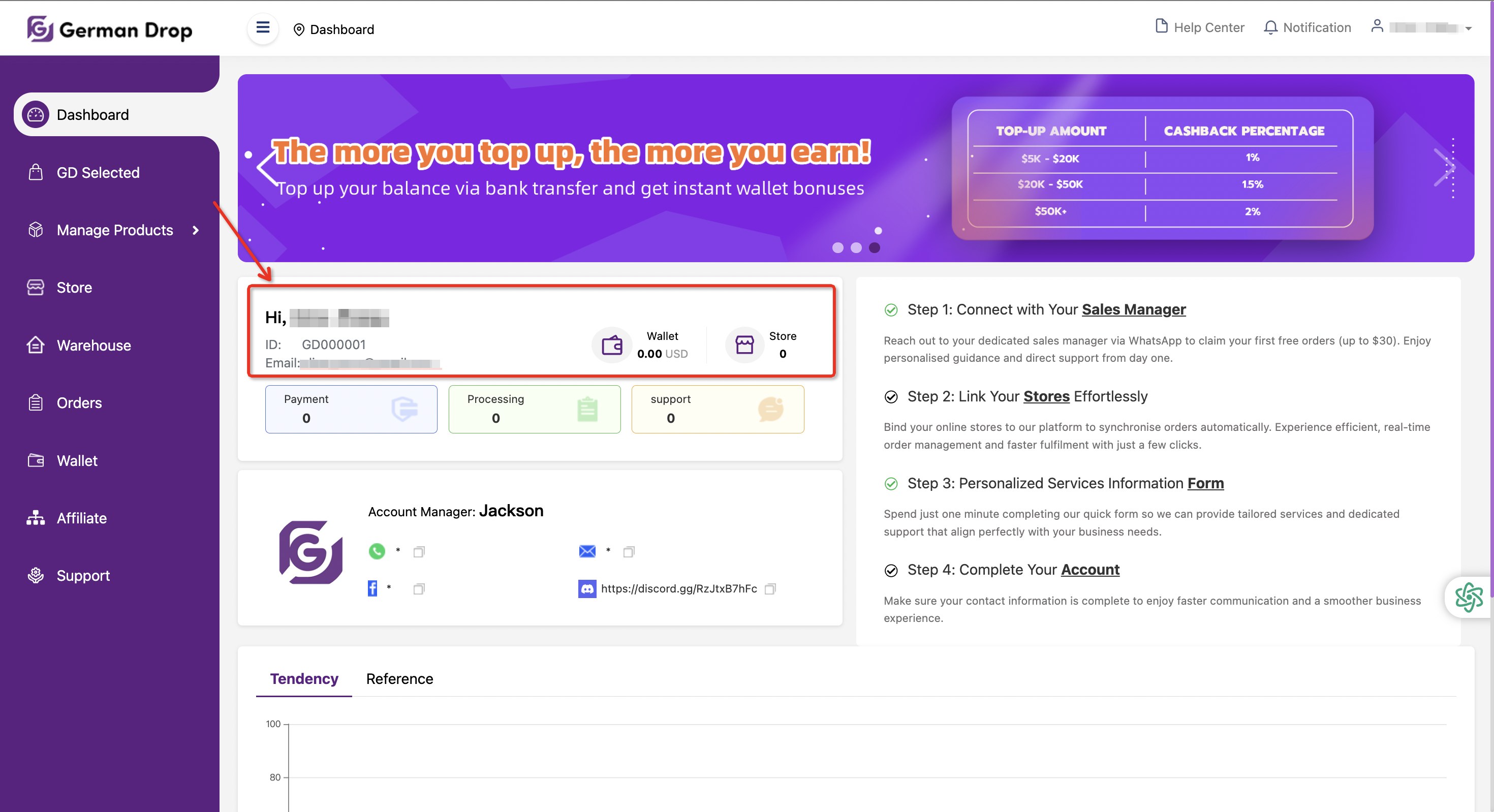
In the upper-left corner of the Dashboard, you will find your basic account information along with quick-access shortcuts within the German Drop app. This area displays:
● Your name
● User ID
● Registered email address
● Wallet balance
● Number of stores linked to your account
Business Status Overview
Below the Basic Information section, you will see four status panels that provide real-time insights into your account activity:
● Payment - Number of orders awaiting payment
● Processing - Number of orders currently being processed
● Support - Number of orders requiring after-sales support
By clicking on any of these panels, you can quickly review ongoing tasks, pending actions, or active requests related to your account.

Dedicated Account Manager
After your initial registration, the German Drop system will automatically assign a dedicated Account Manager to support you. This section displays:
● Your Account Manager’s name
● Available contact channels (such as social media or messaging platforms)
You can reach out directly for assistance, feedback, or guidance whenever needed.

Four-step Quick-start Guide
The right side of the Dashboard features a four-step quick-start guide, designed to help new users easily locate key sections and understand their functions after registration and login.

In addition, customers who register now and proactively contact our Sales team may qualify for exclusive order discounts.
Store Performance Insights
At the bottom of the Dashboard, you will find performance analytics for the store(s) linked to your account over the most recent period:
● Tendency: A bar chart showing recent order volume and expenses, helping you understand overall business trends.
● Reference: A detailed summary that visualizes order generation time, total number of orders, and total expenditure.


These insights help you monitor performance and make informed business decisions.
The Dashboard brings all essential information together in one place, allowing you to stay in control of your operations on German Drop with clarity and efficiency.
If you have any questions while using the German Drop platform, click “Help Center” in the upper-right corner of the Dashboard to access support resources.
After entering the Help Center:
● The left panel displays different sections, organized by function. Select the relevant category to find related guidance.
● The right panel provides detailed, step-by-step documentation to help you understand and use each feature effectively.
Click on any article to view the full tutorial. You can also use the search bar to quickly find answers by entering keywords.


The Notifications section keeps you informed about important updates and activities from German Drop.
After entering the Notifications page:
● The left panel is divided into Notifications and Activities, allowing you to easily distinguish between system updates and platform events.
● The right panel displays the full content of each notice. Click on any item to view detailed information.
You can also use the search function at the top to quickly locate notifications or activities of interest.


The Help Center and Notifications features ensure you always have access to guidance, updates, and important platform information while using German Drop.
