This guide walks you through the complete registration and login process on the German Drop platform, helping you get started quickly and securely.
Registration Process
Step 1: Visit the German Drop Website
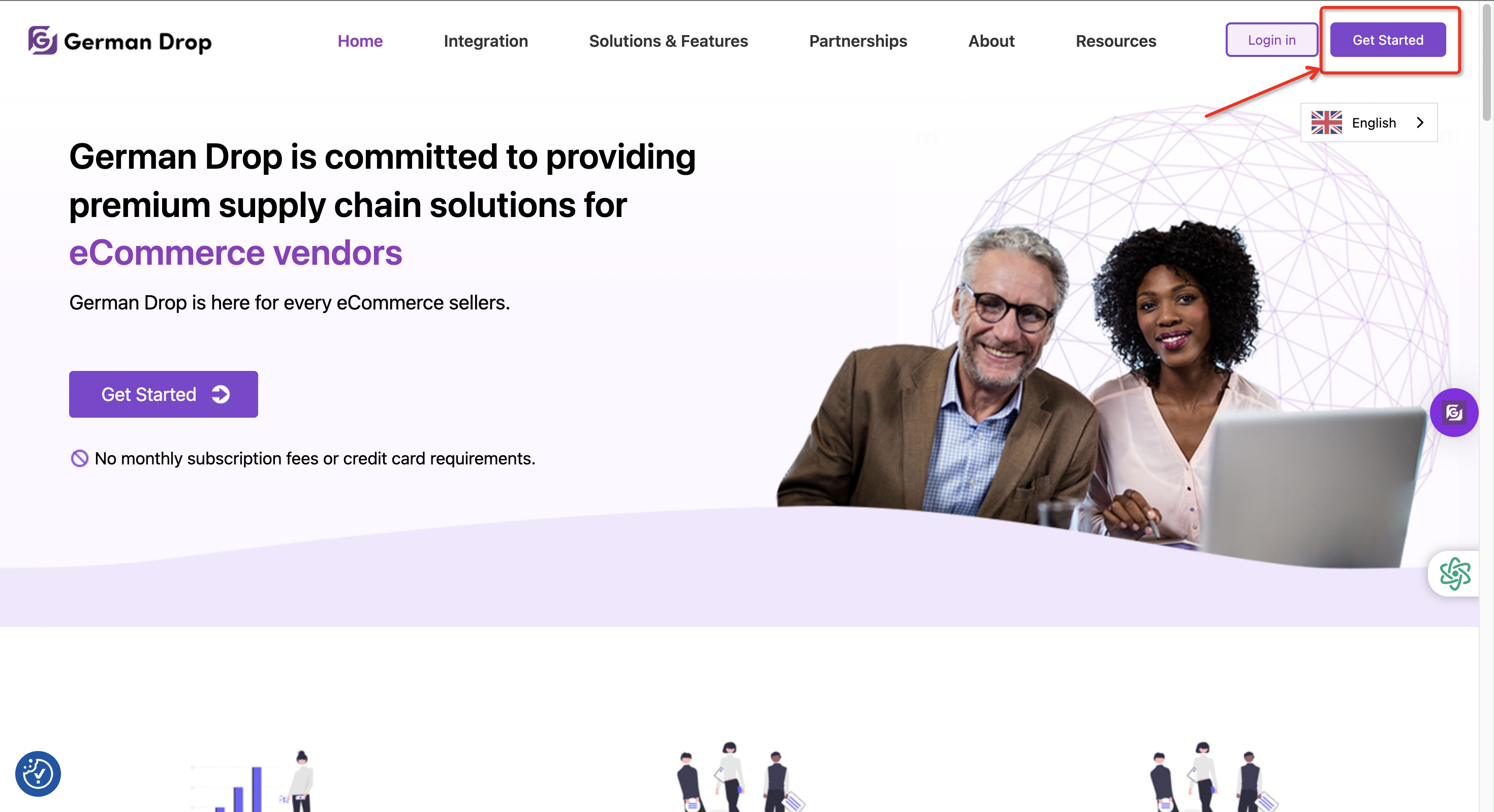
Go to the official German Drop website and click “Get Started” in the upper-right corner of the homepage.
Step 2: Create Your Account
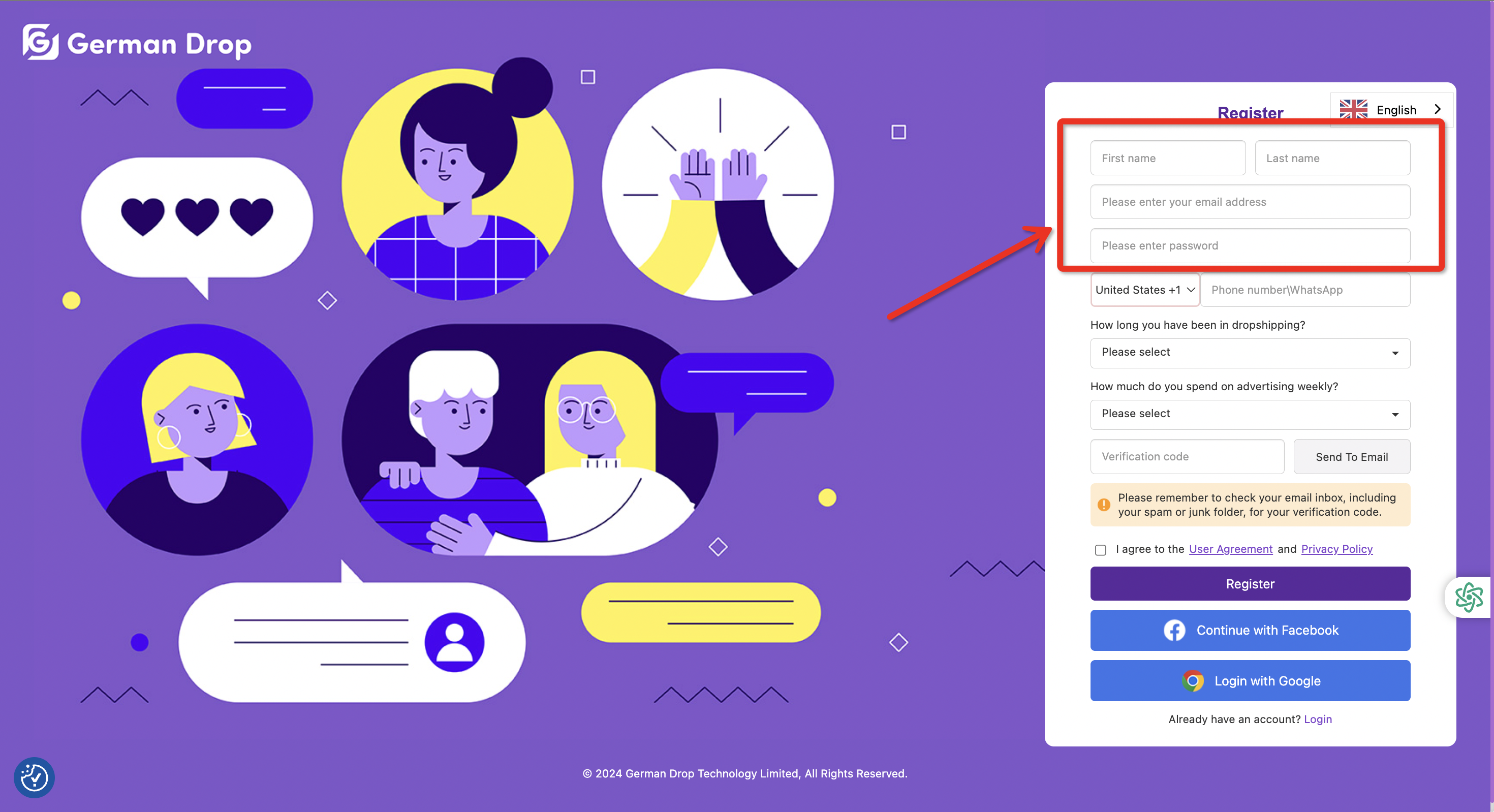
You will be directed to the registration page, where you’ll be asked to provide some basic information. All information is stored securely and used only to improve your experience on the platform.
First, please enter:
● Your name
● Email address
● Password
Your email address will be used as your login account. It will also be used to send you important updates such as product recommendations, industry insights, and platform notifications.
Step 3: Business Background Information
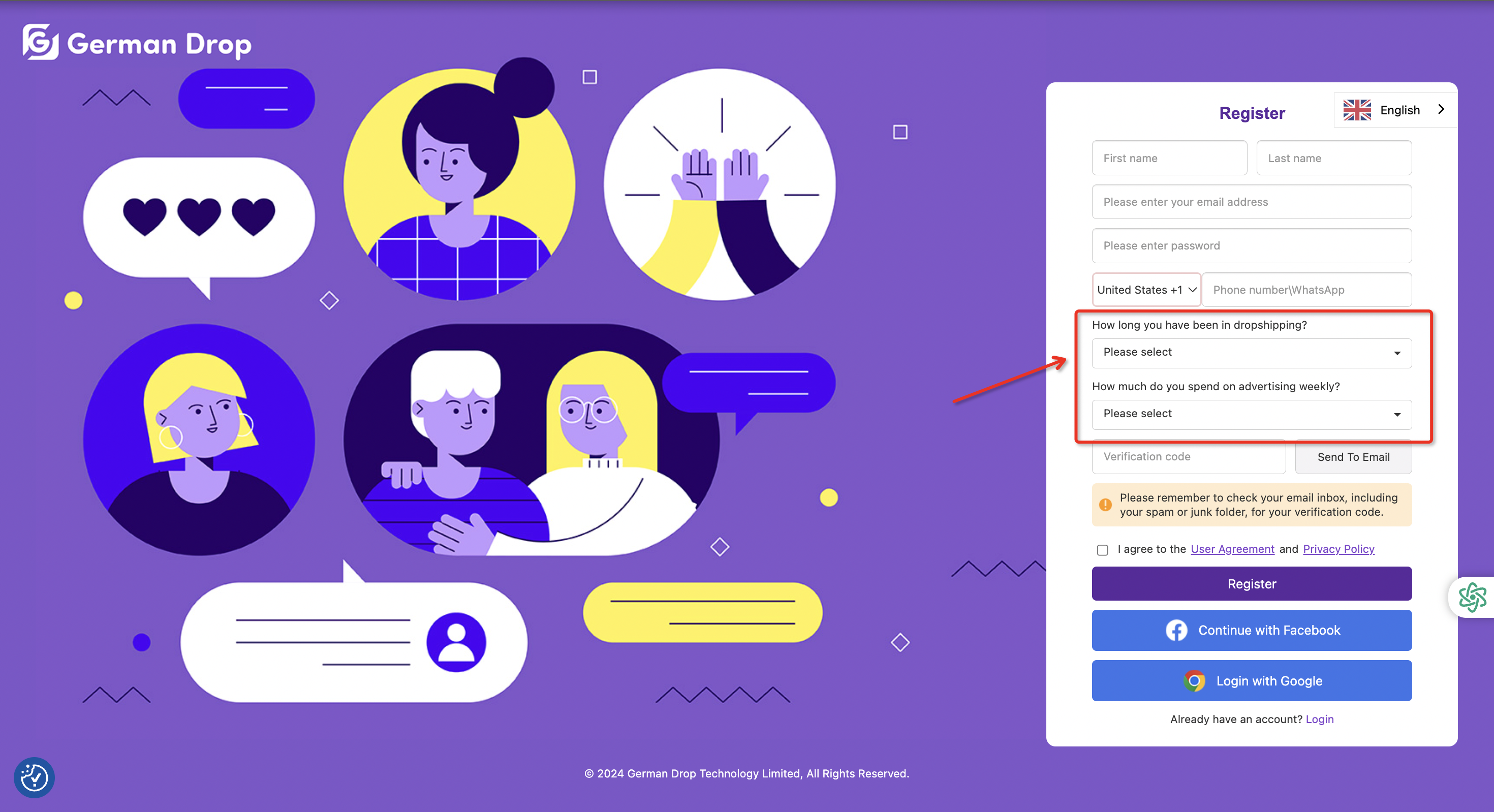
Next, we will ask 2 questions about your previous experience and monthly advertising budget. This information helps us better understand your business needs and assign a suitable Account Manager to support you more effectively.
Step 4: Verification
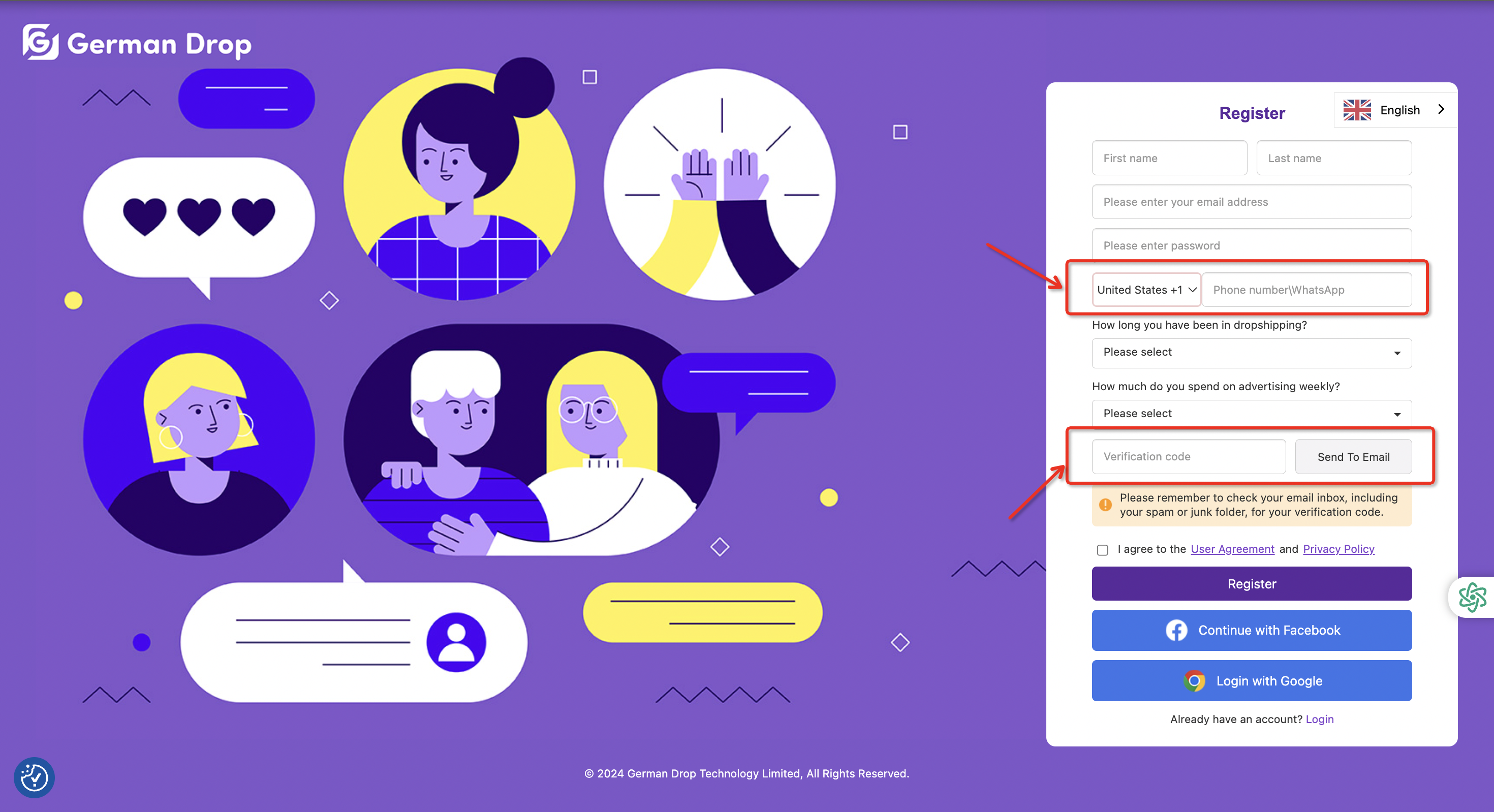
To ensure smooth communication, please enter the verification codes sent to your email and WhatsApp account. This allows our customer service team to contact you promptly via WhatsApp or send real-time notifications when needed.
Step 5: Complete Registration
After filling in all required information:
Check “I agree to the User Agreement and Privacy Policy” to confirm your consent for data collection related to account registration.

Click “Register” in the lower-right corner to complete the process.

Your German Drop account is now successfully created.
Quick Registration with Google or Facebook
For faster access, you can also register using third-party accounts:
● Click “Login with Google” and select your Google account to register and log in.
● Click “Continue with Facebook” and log in using your Facebook account.

Login Process
Step 1: Access the Login Page
Click “Login” in the upper-right corner of the German Drop website.

Step 2: Log In to Your Account
Enter your registered email and password, and you will be redirected to the Dashboard.

Alternatively, you can:
Click “Login with Google”, or click “Continue with Facebook” and log in using your linked Google or Facebook account.

Once logged in, you can start using the German Drop platform and app according to the registration channel you selected.
